


Important Notice: Amprod Acquires Simmtech

Industry InSights

What Are Automated Production Systems and How Do They Work?

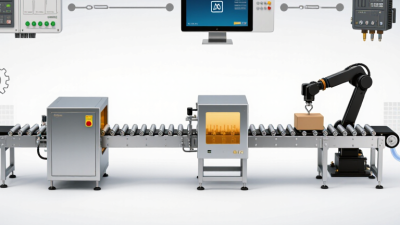
Automated production systems use machines, controls, sensors, and software to make or move products with limited manual intervention. They appear in settings such as bottling lines, automotive plants, and electronics factories. A conveyor carries parts past workstations; sensors check position, while controllers coordinate each machine’s next action.

Manufacturing automation expert Mikell P. Groover defines automation as “the technology by which a process or procedure is accomplished without human assistance.” His definition is useful, but it needs context. People still design, program, monitor, and maintain these systems. Automation changes where human judgment is applied; it does not simply remove people from production.

How do the parts work together? A typical system receives materials, performs operations, checks results, and transfers finished items. Programmable logic controllers can manage machine timing, while sensors detect faults such as a missing component or an incorrectly positioned part. Operators may review alerts at a control station and intervene when a process falls outside its limits.

That distinction matters. This guide will explain the main types of automated production systems, their components, and how information moves through a production line. It will also examine benefits such as consistent output and shorter cycle times, alongside practical challenges like setup costs, maintenance, and downtime. The tidy diagrams often leave out messy shifts, worn sensors, and awkward handoffs between machines. Real factories are less perfect. Understanding those limits is part of understanding how automation actually works.
What Are Automated Production Systems and How Do They Work?

What Defines an Automated Production System?

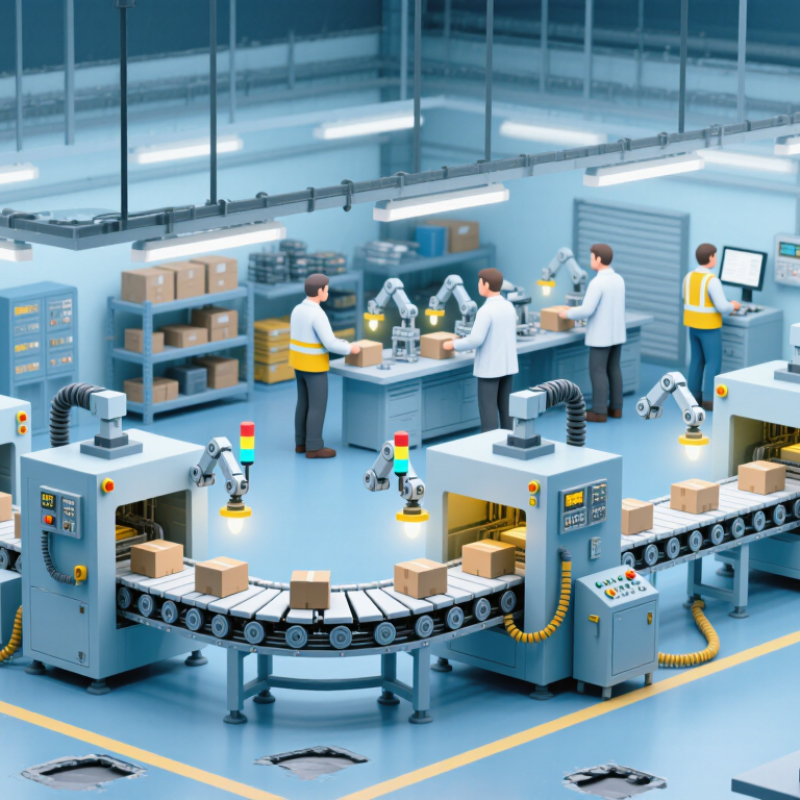
An automated production system is a coordinated setup of equipment, controls, software, and work procedures that makes products with limited direct manual intervention. Its defining feature is coordination: machines and information systems share tasks, timing, and production data. A single robot does not automatically make a factory an automated system.

For example, a sensor may detect a part on a conveyor and signal a machine to drill it. A controller checks the cycle, while another station receives the part for inspection. Feedback helps the equipment adjust or stop when readings fall outside set limits. That is the system at work.

People still matter. Operators set up equipment, review alarms, replenish materials, and investigate faults. Their role often shifts from handling every part to monitoring the process and responding to exceptions. This shift is not always smooth; unclear alarms or poor handoffs can create delays. Automation can improve consistency, but only when equipment, processes, and people are designed to work together. The boundary can be fuzzy. A partly automated line may still qualify if its connected operations share control and production goals.

What Defines an Automated Production System?

An automated production system uses control technology to monitor and run production processes, with people overseeing operations and handling exceptions.

The chart shows the ISA-95 hierarchy: Level 0 is the physical process, Levels 1–2 cover sensing and control, Level 3 covers manufacturing operations management, and Level 4 covers business planning and logistics. These are functional levels, not measures of productivity or automation performance.

What Equipment and Controls Make Up the System?

An automated production system links machines, material handling, sensors, and software to make or assemble products with limited manual intervention. Its physical equipment may include conveyors, robotic arms, machine tools, feeders, and inspection cameras. Sensors detect position, temperature, pressure, or product defects. These details matter: a misplaced part can stop a line, while a camera can flag a flawed seam before packing.

The control layer coordinates the equipment. Programmable logic controllers handle fast, repeatable actions, such as opening a valve or stopping a conveyor. Computer numerical control units guide cutting and machining; variable-speed drives regulate motors. Human-machine interfaces let operators view alarms and adjust approved settings, while supervisory control and manufacturing execution systems can track line status and production records.

The International Federation of Robotics reported 541,302 industrial robot installations worldwide in 2023, in World Robotics 2024. That figure shows adoption, not whether every installation is productive. Integration and maintenance still require careful planning. A dashboard cannot fix a poorly calibrated sensor.

Tips: Map each station’s inputs, outputs, and failure signals before selecting controls. Test stop conditions and recovery steps with operators. Keep it practical. One overlooked sensor can create hours of rework.

How Does a Product Move Through the Production Workflow?

A product’s journey through an automated production workflow begins with a released order and a defined set of materials. Operators or planning software assign a quantity, route, and production settings. Conveyors, robots, or guided carts then move parts between workstations. At each stop, equipment performs a task such as cutting, filling, fastening, or labeling. Sensors check position and process conditions before the product moves on. Small pauses matter. A poorly aligned part can slow an entire line.

Tips: Track one item from station to station. Note where it waits, what each sensor checks, and how rejected items are separated. These details often reveal bottlenecks more clearly than the machine’s advertised speed.

Near the end of the workflow, inspection equipment checks dimensions, weight, seals, or other requirements. Accepted products continue to packing; failed checks may trigger a hold, rework, or operator review. Records can connect process readings to a production batch, helping teams investigate recurring defects. The flow is not always perfectly smooth. A sensor may need adjustment, or a material supply may arrive late. Good automation makes these interruptions visible, but people still need to decide what to do next.

How Do Sensors and Software Coordinate Each Operation?

An automated production system uses sensors, control software, and machines to repeat production tasks. Sensors detect conditions such as a part’s position, a tank’s temperature, or a conveyor’s speed. A controller compares these readings with programmed targets. It then sends instructions to motors, valves, or robotic equipment. Small signals matter. A misplaced part can pause the sequence before the next machine acts.

Consider a filling line. A photoelectric sensor detects a container beneath a nozzle, and the controller checks that the line is ready. If conditions match, software opens a valve for a set time. Another sensor can confirm the container has moved on. This feedback helps the system adjust or stop when readings fall outside expected limits. Timing is everything. Still, a sensor can be dirty or misaligned, and software cannot make faulty data reliable. Operators need clear alarms, tested stop functions, and routine checks of sensor accuracy.

Tips: Trace one product through the line and note what each sensor detects, what decision the controller makes, and which device moves next. Check how the system behaves when a reading is missing or unexpected. That question often reveals a weak point worth reviewing.

What Are Automated Production Systems and How Do They Work? — How Do Sensors and Software Coordinate Each Operation?
Production Step Sensor or Data Input Representative Measurement Software and Control Decision Equipment Action and Result
Part arrival and identification Photoelectric sensor; barcode or machine-readable code reader Presence signal; part ID; arrival timestamp A programmable logic controller (PLC) confirms the part is present. Production software checks the ID against the active job and routing instructions. The conveyor advances the identified part or holds it if the ID is missing or does not match the scheduled job.
Positioning at a workstation Proximity sensor; encoder; safety interlock Part-in-position state; conveyor position; guard-door state The PLC verifies that the part is within the work zone and that required safety conditions are satisfied before enabling the cycle. A stopper or indexing mechanism positions the part. The workstation remains disabled if a safety interlock is open.
Automated assembly or machining Motor-current sensor; torque transducer; tool-position feedback Torque, motor current, axis position, and cycle status The controller follows the programmed sequence and compares feedback with recipe limits. Values outside configured limits trigger an alarm or stop. A robot, spindle, or fastening tool performs the operation; measured results can be recorded against the part ID.
Process condition monitoring Temperature, pressure, or flow sensor, as required by the process Live process reading compared with a recipe-specific operating band The PLC applies control logic, such as switching a heater or valve, and reports readings and alarms to the supervisory system. The equipment adjusts the relevant process variable or pauses the cycle when the configured limit is exceeded.
In-line quality inspection Industrial camera; dimensional sensor; presence or orientation sensor Image features, measured dimensions, or pass/fail inspection result Inspection software evaluates the result against configured acceptance criteria and sends a status signal to the line controller. Accepted parts continue to the next operation; rejected or uncertain parts are diverted for review or rework.
Line coordination and production tracking PLC status signals; machine counters; production order data Cycle state, completed quantity, downtime reason, and part traceability record Supervisory or manufacturing execution software displays line status, tracks production, and communicates job instructions to connected equipment. Workstations synchronize part movement, operators can respond to alerts, and production records are updated for monitoring and traceability.
Note: Measurements and control limits are representative examples. Actual sensors, setpoints, cycle times, and safety requirements depend on the equipment, product, and process.

How Are Automated Production Systems Applied and Managed?

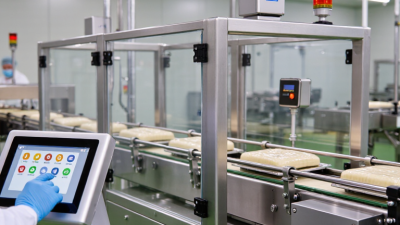
Automated production systems are used where repeatable tasks must happen at a steady pace. A packaging line may use sensors to check bottle position, conveyors to move containers, and robotic arms to place caps. In machining, connected equipment can adjust tool paths and flag unusual vibration. The application depends on the product, required output, and acceptable variation. Automation is not automatically the right choice.

Managing a system starts with clear operating limits. Teams define cycle times, quality checks, safe machine states, and procedures for manual intervention. Operators monitor dashboards, but they should also inspect the equipment itself. A sensor can drift. A warning light may appear only after defects have started. Small clues matter.

Maintenance is part of production, not an afterthought. Staff can review fault logs, clean sensors, check worn belts, and schedule component replacement before a breakdown. Training matters, too; operators need to know when to pause a line and whom to contact. Changes to products or schedules may require updated machine settings and fresh checks. That work can feel repetitive, and records are sometimes incomplete. That is a real weakness. Regular reviews help teams catch gaps before they become costly delays.